> For the complete documentation index, see [llms.txt](https://docs.flora.ai/llms.txt). Markdown versions of documentation pages are available by appending `.md` to page URLs; this page is available as [Markdown](https://docs.flora.ai/nodes/text-node/text-to-text.md).
# Text to Text
## Summary
Text to text allows for textual visualization, information integration, and structured workflow organization.
## Prompt
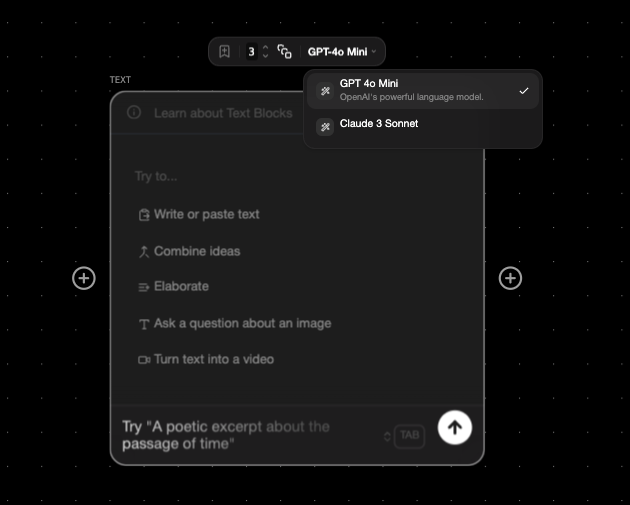
* Sample Prompts:
* "An excerpt from a dystopian novel set in the future"
* "A creative script for an experimental film scene"
* "A surreal underwater scene with floating lanterns illuminating the deep"
* "An eerie perspective from inside a music box as it slowly winds down"
* "A surreal landscape where the sky melts into the ocean"
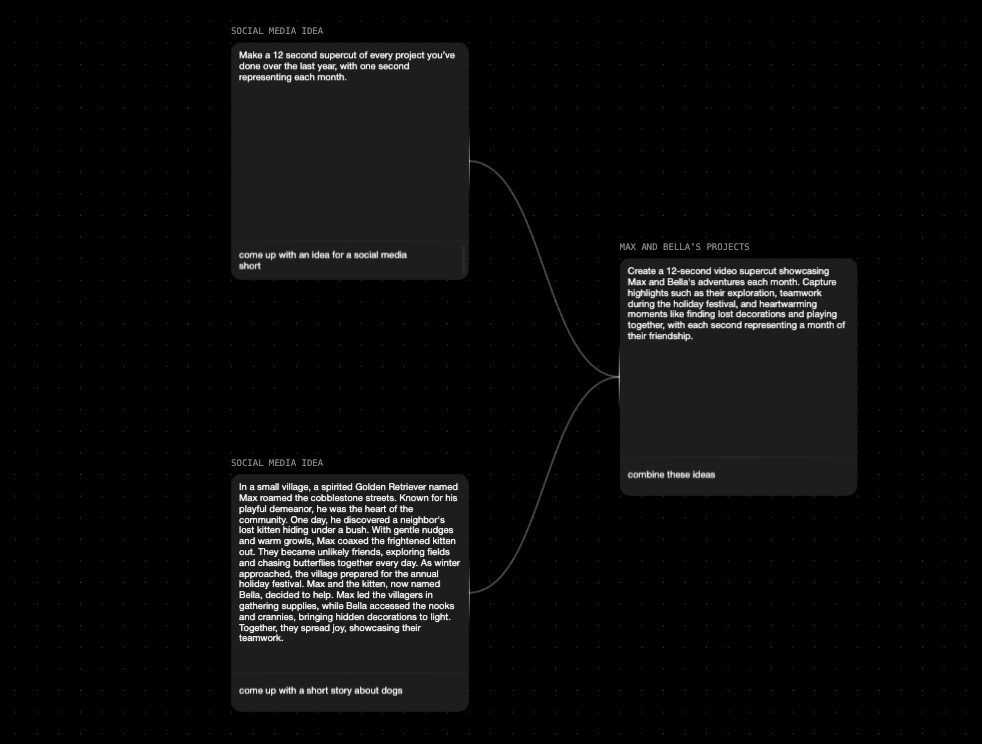
* "Combine these two ideas"
Connecting two text nodes to one for information integration
## How to use
Text to Text is a powerful tool in your creation process. Using Text to Text allows you to combine and transform infinite ideas quickly and efficiently. By taking one or as many text nodes as you like, connecting them to other text nodes, you can conceptualize, iterate, and synthesize.
{% hint style="info" %}
Try connecting multiple text nodes to one to synthesize ideas, or branching one node out to many to expand and iterate on your vision.
{% endhint %}
Here are some sample workflows that highlight different techniques using Text nodes to Text nodes:
* [Copy Generator Workflow](https://www.florafauna.ai/view/d89c012b-9134-4d52-9ed8-86f4707b4b44)
* [Marketing Ideas Workflow](https://www.florafauna.ai/view/dc6c1ad6-6233-4e61-910c-3288b6552c1e)
* [Sketches to storyboard Workflow](https://www.florafauna.ai/view/e0161835-2c9c-4546-9781-bf1cc5dccf43)
## Prompt Splitter
If you have a text node with an output that contains a list, your toolbar will automatically display an option to "Split list into nodes". This will break out the text node into multiple nodes, each containing one of the list items. This is perfect when you're using a text node to ideate creative directions or prompt ideas, and you want to break those ideas out into separate nodes to use as inputs for downstream image or video nodes.
---
# Agent Instructions
This documentation is published with GitBook. GitBook is the documentation platform designed so that both humans and AI agents can read, navigate, and reason over technical content effectively. Learn more at gitbook.com.
## Querying This Documentation
If you need additional information that is not directly available in this page, you can query the documentation dynamically by asking a question.
Perform an HTTP GET request on the current page URL with the `ask` query parameter, and the optional `goal` query parameter:
```
GET https://docs.flora.ai/nodes/text-node/text-to-text.md?ask=&goal=
```
`ask` is the immediate question: it should be specific, self-contained, and written in natural language.
`goal` is optional and describes the broader end goal you are ultimately trying to accomplish on behalf of the user. GitBook uses it to tailor the answer towards what is most useful for that goal.
The response will contain a direct answer to the question and relevant excerpts and sources from the documentation.
Use this mechanism when the answer is not explicitly present in the current page, you need clarification or additional context, or you want to retrieve related documentation sections.